
Desk Setup Tips for Focus and Comfort
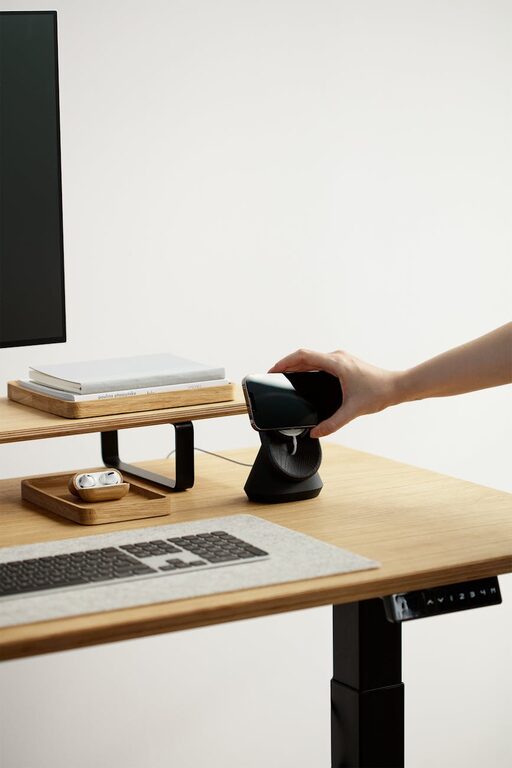
Creating an efficient and comfortable desk setup is essential for maintaining focus and productivity, whether you’re working from home, studying, or tackling any kind of desk-based task. A well-organized workspace not only supports your physical wellbeing but also helps your mind stay clear and motivated. In this post, we’ll explore practical tips for setting up a desk that promotes both focus and comfort.
Why Your Desk Setup Matters
Your environment plays a huge role in how well you can concentrate and how comfortable you feel during long periods of work. Poor ergonomics can lead to discomfort, fatigue, and even health problems over time. Likewise, clutter or distractions can interrupt your workflow and decrease efficiency. By optimizing your desk setup, you create a space that supports your goals and wellbeing.
Choose the Right Desk and Chair
Invest in Ergonomic Furniture
The foundation of a good desk setup starts with your desk and chair:
– Desk Height: Your desk should allow your forearms to rest parallel to the floor when typing or writing.
– Chair Support: Select a chair that supports the natural curve of your spine, with adjustable height and lumbar support.
– Adjustability: Consider furniture that allows you to adjust height to prevent strain over extended periods.
Consider Standing Options
Alternating between sitting and standing can improve circulation and reduce discomfort:
– Use a sit-stand desk or a sturdy desk riser.
– Take breaks to stand or stretch every 30 to 60 minutes.
Position Your Monitor for Optimal Viewing
Eye strain and neck pain are common when monitors are badly positioned.
– Place your monitor about an arm’s length away.
– The top of the screen should be at or slightly below eye level.
– Tilt the screen slightly upward to keep your neck in a comfortable position.
– Use a monitor stand or adjustable arm if needed.
Organize Your Desk for Efficiency
Minimize Clutter
– Keep only essential items on your desk.
– Use storage boxes or drawers to keep supplies out of sight.
– Regularly declutter to maintain a tidy workspace.
Arrange Items for Easy Access
– Frequently used items like pens, notebooks, or your phone should be within arm’s reach.
– Store less commonly used items further away to reduce distractions.
Improve Lighting and Reduce Glare
Good lighting reduces eye strain and helps keep you alert.
– Position your desk near a window to take advantage of natural light.
– Use a desk lamp with adjustable brightness and color temperature.
– Avoid direct glare on your screen by positioning light sources carefully.
Create a Comfortable Temperature and Air Quality
Your physical comfort extends beyond furniture and lighting.
– Keep the room at a comfortable temperature between 68–72°F (20–22°C).
– Use a fan or air purifier if necessary to maintain fresh air.
– Open windows periodically to let in fresh air.
Incorporate Personal Touches Thoughtfully
Adding small personal elements can make your workspace more inviting without causing distractions.
– Add a plant for a touch of nature and better air quality.
– Use motivational quotes or calming artwork.
– Choose calming or neutral colors to reduce visual noise.
Build Healthy Habits Around Your Desk Setup
Take Regular Breaks
– Use the Pomodoro technique or set timers to remind yourself to stand, stretch, or walk.
– Avoid sitting for more than an hour at a stretch.
Practice Good Posture
– Sit back in your chair with shoulders relaxed.
– Keep your feet flat on the floor or on a footrest.
– Avoid leaning forward or slumping.
Stay Hydrated and Nourished
– Keep a water bottle nearby.
– Take breaks for healthy snacks to maintain energy.
Final Thoughts
A desk setup that supports focus and comfort is an investment in your productivity and well-being. Start by choosing ergonomic furniture and positioning your monitor correctly. Keep your workspace organized, well-lit, and personalized just enough to feel inviting. Combine these adjustments with healthy habits, and you’ll create an environment where concentration and comfort go hand in hand.
Remember, the best desk setup is personalized to your needs and preferences. Don’t hesitate to experiment and adjust things until it feels just right for you!